


Kuku TV: Short Dramas & Series
4.0134.00 Reviews
App Specs
- Version
- Varies with Device
- Updated On
- License
- Free
- Downloads
- 100,000,000+
- Developer
- Kuku Technologies Private Limited
- Categories
- Entertainment
- Platform
- Android, iOS
Screenshots


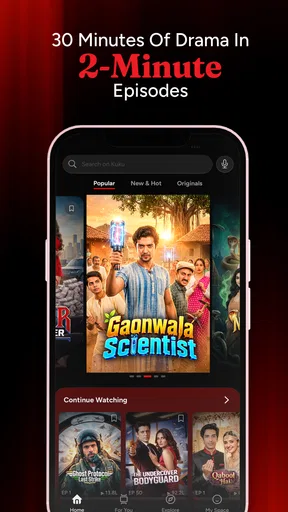
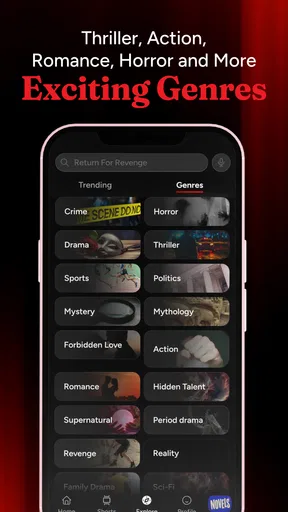

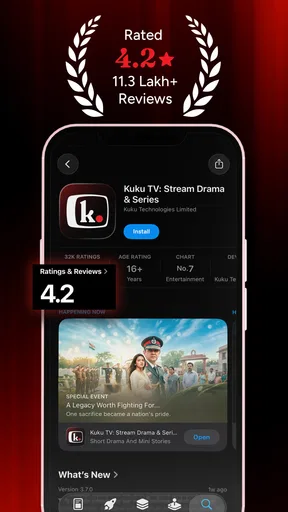
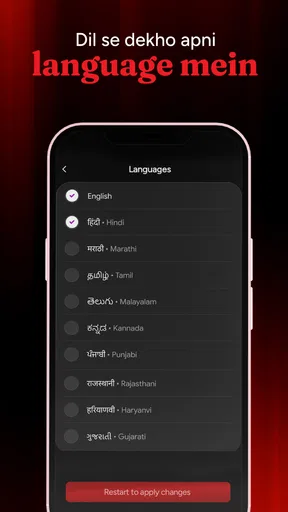

 Analysis by AppCompare
I tend to judge a short-drama app by a simple question: does it make a small pocket of spare time feel like a complete viewing session, rather than a frustrating pause in a longer show? That is the appeal of Kuku TV: Short Dramas & Series. It is an entertainment app from Kuku Technologies Private Limited built around compact stories, so it suits people who want to watch in brief bursts instead of planning an evening around a film or full-length episode.
My best advice is to treat it as a destination for one deliberate break, not as an endless substitute for every kind of streaming. The short format can make it easy to start an episode while waiting for something else, but cliffhangers can also tempt you to keep going. A little routine—choose a series before your break, watch a few episodes, then stop at a natural pause—helps keep the experience enjoyable rather than turning a spare moment into a much longer session.
Who will get the most from the format
I can see this working especially well for viewers who often have ten or fifteen unplanned minutes: someone waiting for a ride, taking a lunch break, or winding down before bed. Short episodes lower the commitment required to try a story. If the premise does not land for you, it is easier to move on than it would be after investing in a long episode or a feature-length film.
It is less suitable if you mainly want cinema releases, long-form prestige drama, or a carefully curated catalogue of familiar international shows. Those needs are better served by a broad conventional streaming service. The point here is the compact serial rhythm, not replacing every other video app on your phone.
A practical viewing routine
For a realistic everyday use, I would pick a series while connected to a reliable network, then use a short break to watch rather than browsing from scratch each time. Browsing can consume the very minutes you meant to relax with. If offline viewing is available for the episode you want, preparing it in advance can also make a commute less dependent on mobile reception; I would check the download is ready before leaving, rather than assuming every title is available offline.
Short installments change how I think about stopping. Instead of waiting for a long episode to end, I can finish a compact chapter and decide whether I want another. That is convenient, but it is also the app’s main self-control challenge: when a story ends on a hook, the next tap is easy. Setting a simple limit before pressing play is a useful habit if you are fitting viewing around work, study, or sleep.
How it fits beside other streaming apps
Compared with standard movie-and-series platforms, Kuku TV puts the emphasis on quick serial storytelling rather than a broad mix of long films and full-length television. That is a meaningful difference when time is tight, though it may feel limiting if you want a single service for every kind of viewing. I would use it alongside a conventional streamer, not expect it to replace one.
Worth Reading Before You Choose

Baby Panda World Brings Quick Play to Modern Phones, but Its Game Library Feels Busy

ESPN’s Live Game View Makes Following Close Games Easier

QuizzLand Review: A Good Fit for Short Trivia Breaks, Not Every Player

Basketball Stars: Multiplayer Is Fast, but Can It Recover When Matches Go Wrong?

WEBTOON Turns Phone Updates Into a Better Reading Routine

Link to Windows Runs on Shared Habits, Not Social Feeds
Its audience figures suggest that many people have tried it: it has over 100 million installs, with an average rating of 4.0 from around 1.1 million ratings. Those numbers can be useful context, but they cannot tell me whether a particular drama will suit your taste. I would sample a premise or episode before deciding that the whole catalogue is for you.
Cost, age suitability, and expectations
The app is free to install, while optional in-app purchases range from $0.49 to $199.99 per item. That wide span makes it sensible to check the purchase details shown in the app before confirming anything, especially if a viewing choice involves spending. I would not assume that every episode or viewing path works the same way; check what the app presents for the specific series you want.
Kuku TV is rated Mature 17+, so it is not an app I would hand to a younger viewer without first considering that age guidance. It runs on Android 7.0 or later, which makes it accessible to many older devices, though the quality of the experience still depends on the phone, connection, and the way you prefer to watch. It is free to start, but “free” should not be read as a promise that every optional purchase is irrelevant to every user.
If you are choosing between this and a familiar streaming subscription, ask yourself what you actually do with your spare minutes. If you usually abandon long episodes halfway through because you have to leave, short dramas may fit your routine better. If you want to settle in for a film or follow a long, slow-burn series, your existing service is probably the more satisfying choice.
If you're like me, constantly on the lookout for fresh content to spice up your chill time, then let me introduce you to something that might just become your new favorite app: Kuku TV: Short Dramas & Series. This app is a delightful concoction of quick entertainment that you can enjoy anytime, anywhere. Let’s dive into what makes this app a must-have on your device!
The World of Bite-Sized Dramas
Imagine having a world of stories in your pocket. With Kuku TV, you get access to a vast library of short dramas and series, perfect for those moments when you crave a quick escape. Whether you’re commuting, waiting for your coffee, or just need a break, this app has got you covered.
One of the things I absolutely love about it is the variety. From heartwarming romances to gripping thrillers, there’s something for everyone. The episodes are short enough to fit into your busy schedule, but captivating enough to leave you wanting more.
User-Friendly Interface
Navigating through Kuku TV is a breeze. The design is clean and intuitive, which means you spend less time figuring out how to use it and more time enjoying the content. The app categorizes its series neatly, so finding what you’re in the mood for is as easy as pie. Plus, the search function is spot-on, helping you locate your favorite shows or discover new ones in a jiffy.
Why Kuku TV Stands Out
What really sets Kuku TV apart from other streaming apps is its focus on short content. In this fast-paced world, it’s refreshing to have access to entertainment that respects your time but still delivers quality storytelling. The episodes are crafted to keep you hooked from start to finish, making it perfect for binge-watching or savoring one at a time.
Another standout feature is the app's offline viewing option. You can download episodes and watch them without an internet connection. This is a lifesaver for those long flights or if you’re somewhere without a good signal. Never miss a moment of your favorite series!
Engaging Content and Community
One of the joys of using Kuku TV is the community aspect. The app encourages user interaction, allowing you to rate and comment on episodes. This feature adds a social layer, making it fun to see what others think and join in discussions. It’s like having a mini fan club at your fingertips!
Moreover, the app regularly updates its library with new content, so there’s always something fresh to watch. Whether you’re into drama, comedy, or suspense, you’ll find something that piques your interest.
Personal Experience and Verdict
In my time using Kuku TV, I've been pleasantly surprised by the quality of the content and the ease of use. The app has become a staple on my phone, providing quick entertainment whenever I need it. The storytelling is on point, and the variety keeps me coming back for more.
Overall, if you’re someone who loves short, engaging content, Kuku TV is definitely worth checking out. It’s a fantastic way to enjoy quality dramas and series without committing hours at a time. So, go ahead and give it a try—you might just find your next favorite show!
Settings and habits that make short viewing work
I would begin by checking the app’s playback and account options rather than assuming the defaults match how I watch. In particular, look at any available controls related to notifications, data use, and purchases. I’m not suggesting that every control appears on every device; the useful habit is to review what is actually offered, then adjust only what matters to you. If you prefer to watch quietly during a break, limiting nonessential alerts can keep the app from interrupting the rest of your day.
There is also a practical distinction between browsing on a stable connection and watching while moving around. If you plan to rely on offline viewing, prepare the episode beforehand and confirm it is available to play before you lose the connection. If you are streaming, choose a moment when interruptions are less likely. These small checks are more useful than assuming that a short episode will always be convenient wherever you are.
Finding a series without spending the whole break browsing
The category browsing and search mentioned above are most useful when I give them a purpose. Rather than scrolling through everything, I would decide on a mood—light romance, suspense, or something else—and use the available categories or search terms to narrow the choice. A search is especially handy when I already know a title or want to return to a particular show; browsing is better when I am open to discovery. Neither guarantees a perfect match, so sampling a story is still the sensible way to judge its tone and pacing.
For a lunch break, for example, I might choose a series before sitting down, watch one installment while eating, and save the next decision for another day. If I have a longer journey, I would prepare the offline option first when it is available. The trade-off is clear: advance selection reduces wasted browsing time, while spontaneous discovery is more fun when I have no deadline. Matching the method to the moment makes the app feel more useful without requiring any special feature or complicated setup.
What to check before you commit to a story
Short drama is not automatically lightweight viewing. A compact episode can still end on a tense beat, and a string of installments can create a strong urge to continue. I would treat the first episode as a test of tone, acting style, and story hook, not as proof that the whole series will suit me. If I find myself watching out of obligation rather than interest, switching to another title—or closing the app—is a better choice than chasing a payoff that may not arrive quickly.
Because the app includes ratings and comments, other viewers’ reactions can provide a little context, but I would not let them decide for me. A popular response does not mean a drama fits my taste, and a brief comment may reveal a spoiler. When I want to preserve surprises, I skip discussion until after watching; when I am unsure whether a title is worth trying, I glance at reactions carefully and avoid reading too far.
Spending and device choices deserve a quick check
Free access makes it easy to try the app, but purchases are a separate decision. Before tapping any purchase prompt, I would pause to read the displayed amount and what it applies to. The range of optional items is broad enough that treating every prompt as a small add-on would be unwise. If you share a phone or account with family, this is also a good moment to make sure the person using the device understands that a purchase may cost real money.
The app’s Mature 17+ rating is another reason to choose deliberately rather than handing over a phone without checking. Adults may be comfortable with that guidance, while parents should make their own decision about suitability instead of relying on the short-episode format to imply that the content is meant for children. The format describes episode length, not age appropriateness.
My recommendation after weighing the trade-offs
For me, the strongest reason to try this app is not that it replaces a full streaming library; it is that short serialized stories can fit between the fixed parts of a day. The strongest reason to skip it is equally simple: if brief cliffhanger-driven episodes make you feel pushed to keep watching, or if you mainly want long films and established series, a conventional streaming service is likely a better match.
As an entertainment app, Kuku TV is at its best when I choose a title with a little intention, use offline viewing only when it is genuinely useful, and set a stopping point before the next episode begins. That approach turns its compact format into a real convenience rather than another feed to scroll. If that sounds like the kind of viewing you want, I think it is worth trying; just keep purchases, age suitability, and your own viewing habits in mind.
Pros
- Variety of genres to explore.
- High-quality video streaming.
- User-friendly interface.
- Regular content updates.
- Offline viewing available.
Cons
- Limited parental controls.
- Ads can be intrusive.
- Requires stable internet.
- Subscription needed for premium.
- Few customization options.
FAQs for Kuku TV: Short Dramas & Series
What is Kuku TV and what type of content does it offer?
Kuku TV is an entertainment app that provides a wide range of short dramas and series. It is designed for users who enjoy quick, engaging stories across various genres, including romance, thriller, and comedy. The platform regularly updates its library, ensuring fresh content for its audience.
Is Kuku TV free to use, or does it require a subscription?
Kuku TV offers a mix of free and premium content. While some shows and series are available for free, accessing the full library requires a subscription. The app offers several subscription plans to suit different user needs, providing ad-free viewing and exclusive content.
What are the system requirements for installing Kuku TV on Android and iOS?
To install Kuku TV, Android users need a device running Android 5.0 or higher, while iOS users require iOS 10.0 or later. The app is optimized for both smartphones and tablets, ensuring a seamless viewing experience across different devices.
Does Kuku TV support offline viewing of its content?
Yes, Kuku TV allows users to download episodes for offline viewing. This feature is particularly useful for users who wish to watch content without an internet connection, making it convenient for travel or areas with limited connectivity.
How does Kuku TV handle user privacy and data security?
Kuku TV prioritizes user privacy and data security. The app follows stringent data protection protocols, ensuring user information is securely stored and not shared with third parties without consent. Users can review the privacy policy within the app for more detailed information.


